● Start · 10 minutes
Quick start
the forge on your screen.
The shortest way from the zip to Token Forge running on your computer, on devnet. It assumes Flutter is already installed; if not, do Requirements first.
01Before you start
flutter --versionshows Dart 3.11.1 or newer. The package needs it (pubspec.yaml:sdk: ^3.11.1).flutter doctorshows no red errors for the platform you want to try: Chrome is the easiest, macOS needs Xcode.- Nothing else. There is no backend, no database and no account to create for a first look.
No keys needed to start
The package ships with no API key and no RPC URL. Until you add your own endpoint, the forge talks to Solana's shared public devnet endpoint. That is enough to walk through the six build steps; the console's holder list needs your own endpoint (Installation).
02The ten minutes
- Unzip and open a terminal in the folderThe folder that contains
pubspec.yaml. Put it somewhere without spaces, for example~/projects/forge. - Install the packages
flutter pub get - Optional: check the packageBoth commands should end cleanly. On our machine: No issues found! and All tests passed! (260 tests).
flutter analyze flutter test - Run itIn Chrome, or as a macOS app:
flutter run -d chrome
# or
flutter run -d macos
03What you should see
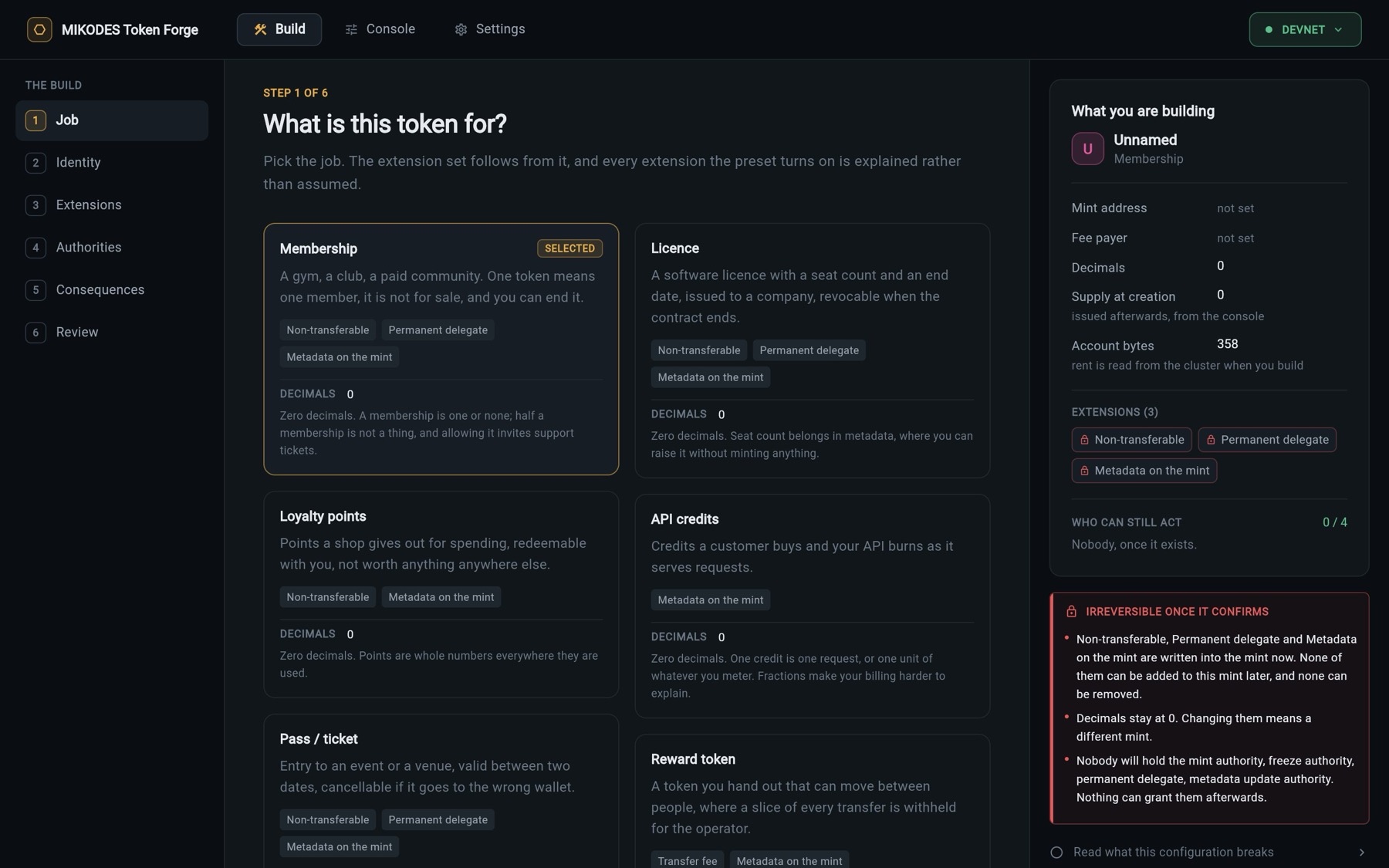
- A header with Build, Console and Settings, and a green DEVNET chip on the right.
- Build, step 1 of 6: What is this token for? with seven job cards. Membership is selected.
- Settings → Your RPC endpoints says the public endpoint is in use. That is expected until you add yours.
- You cannot switch to mainnet yet. That is also expected: Allow mainnet is off by default (Settings → Network).
Next
Continue with Installation: your own RPC endpoint and how to make a mint keypair. Then walk through Create a token on devnet.